How to approach a new software feature
Here’s how I currently approach building a new software feature.
Create a Roam page
Create a new page in Roam. Use a Roam template to quickly populate the page so it looks something like this:
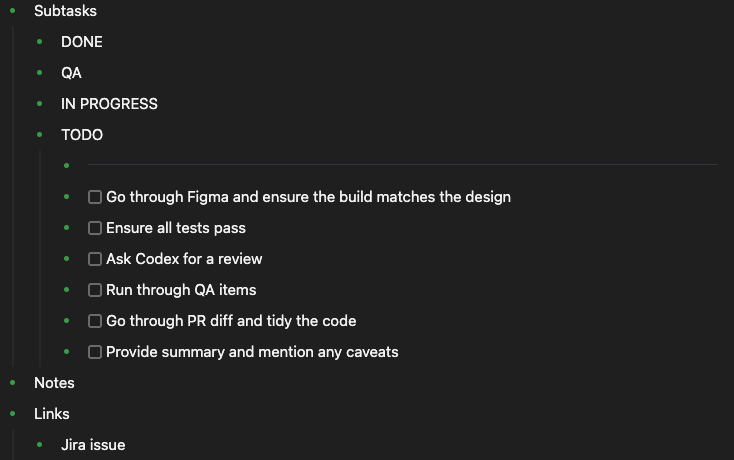
In the spirit of using technology to augment your mind, you want a dedicated place like a Roam page where you can keep track of all things related to this new feature.
Break the task down into smaller subtasks
Look at the relevant Figma files, speak with the product manager or whatever you need to do to understand the new feature. As you do this, create small TODO items and add them to the TODO section in your Roam page.
Order the TODO items so that the most important ones come first. You want to implement the most important changes first so that if you get pressed for time later, you can ship the most important features and leave the non-essential changes for a later time.
Complete tasks one at a time and tick them off as you complete them
Work on each task one at a time and mark them as complete and then move them to the QA section in your Roam page.
QA your work
Once you’ve moved all items to QA, test each change and move them to DONE once tested.
Provide a summary of the changes once they’re ready to QA
Once all the original TODO items have been moved to DONE anf the changes are on a staging environment and ready to test, use Loom to provide a video summary of the changes.
Mentions (1)
Posts this one links to.